Text-to-Speech (TTS)
Applio includes a built-in Text-to-Speech (TTS) feature that allows you to generate audio from text and then convert it to the voice of your chosen model, all without needing to use external software.
How to Use the TTS Feature
Section titled “How to Use the TTS Feature”- Go to the TTS tab in the Applio interface.
- Select Your Model: Choose the voice model you want to use from the dropdown menu.
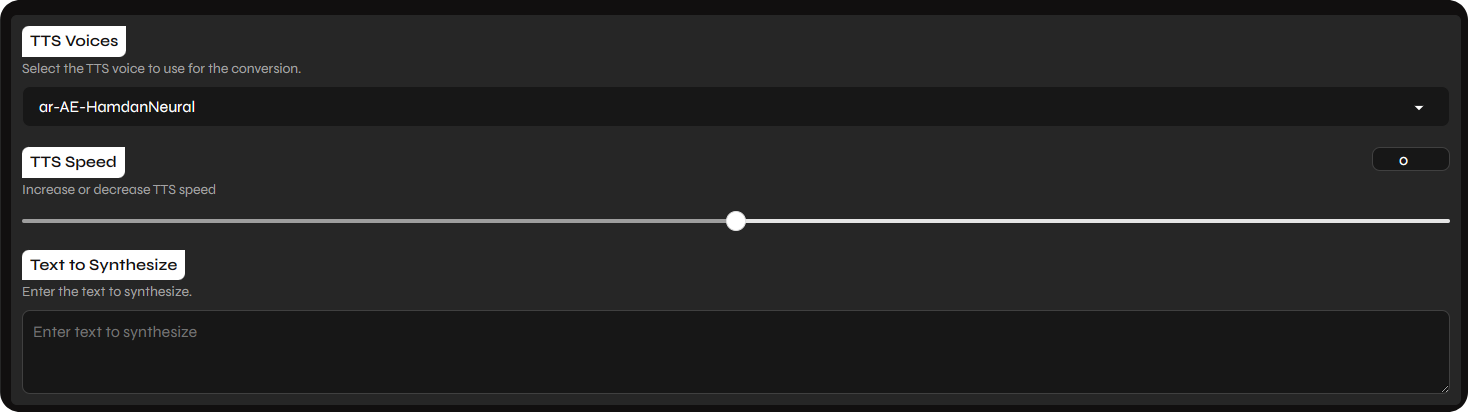
- Select a TTS Voice: Choose a TTS voice from the list. These voices are provided by EdgeTTS and are available in a variety of languages.
- Enter Your Text: Type or paste the text you want to convert into the text box. You can also upload a
.txtfile. - Adjust the Speed: Use the slider to adjust the speed of the generated speech.
- Convert: Click the Convert button to start the process.
Important Information
Section titled “Important Information”Applio’s TTS feature is powered by EdgeTTS, which has a few limitations:
- Internet Connection Required: EdgeTTS requires an active internet connection to function.
- Limited Voices: You can only use the voices that are provided by EdgeTTS. It is not possible to add custom voices.
- Audio Length Limit: The maximum audio length is currently limited to 10 minutes per request due to Azure’s free tier restrictions.